Translating TikTok videos to another language allows content creators to reach a wider audience who speak a different language and makes your TikTok videos more accessible to viewers who often watch TikTok videos through captions/subtitles.
So, if you want to repurpose existing TikTok videos by translating TikTok videos into a different language to cater to a target audience, we've got you covered!
In this tutorial, we will walk you through how to translate TikTok videos in the 3 best ways using AI translation online. So, you can make your TikTok videos more engaging and accessible to a global audience.
Here is what you will learn:


Also Read: how to add music to TikTok videos.
1. Transcribe and Translate TikTok Videos with FlexClip
FlexClip has evolved from a popular online video editor into a powerful AI-powered video creation platform. With its advanced AI toolkit, you can now translate, edit, and localize TikTok videos in just a few clicks, making it easier than ever to connect with a global audience.
The AI video translator is one of FlexClip's most popular features, using advanced AI technology to automatically translate TikTok videos into multiple languages while generating accurate subtitles and natural-sounding voiceovers. Whether you're a beginner, influencer, or professional content creator, FlexClip helps you break language barriers, expand your reach, and create engaging multilingual videos effortlessly.
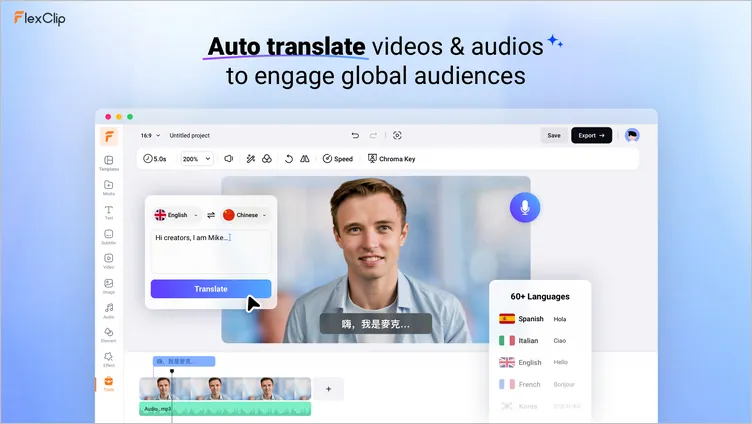
Transcribe and Translate TikTok Videos with FlexClip

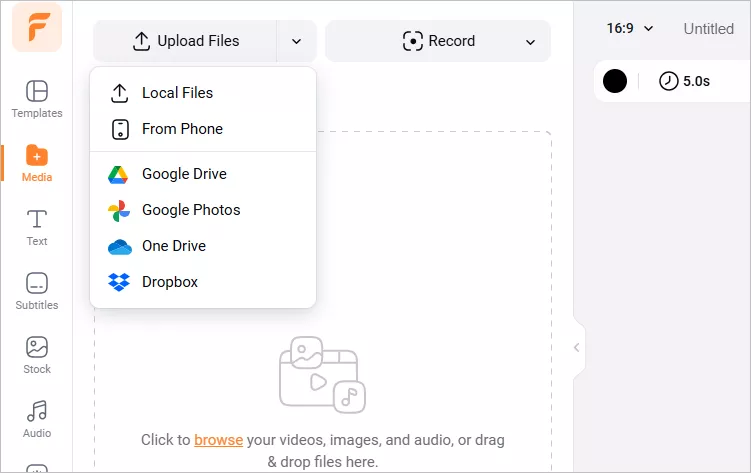
Translate TikTok Video with FlexClip - Upload
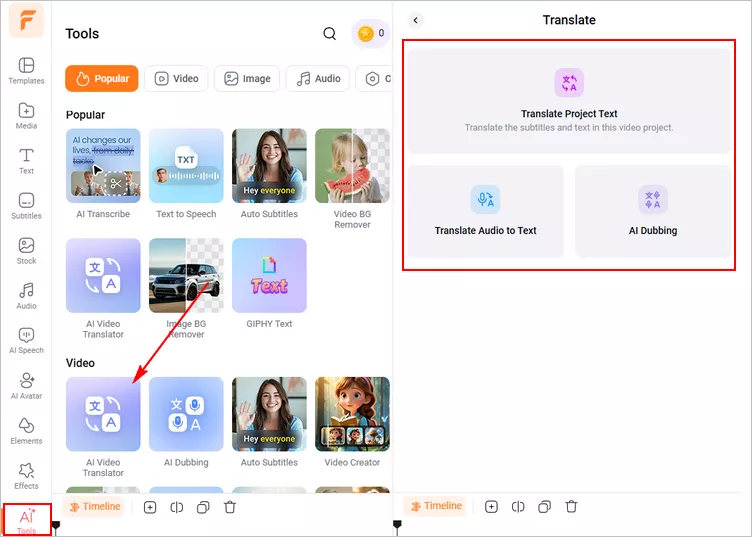
Translate TikTok Video with FlexClip - AI Translator
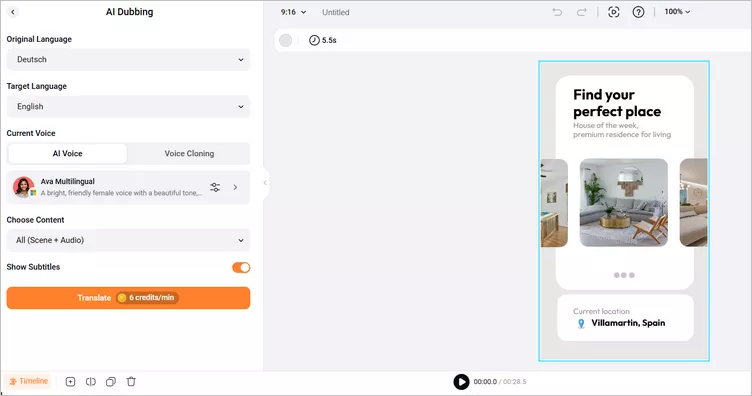
Translate TikTok video with FlexClip - Settings
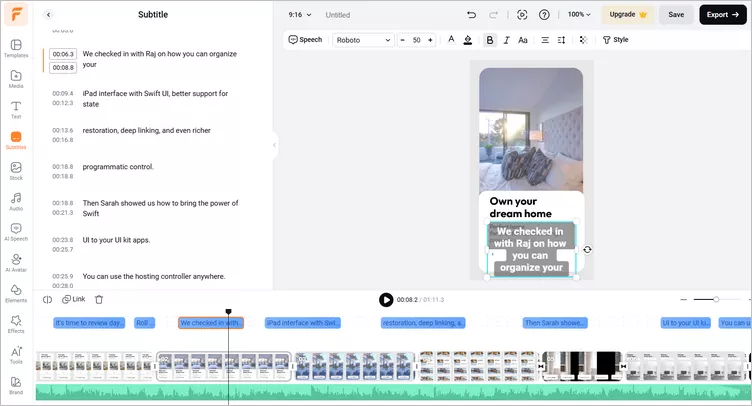
Translate TikTok video with FlexClip - Edit
2. Translate TikTok Audio Using ElevenLabs
If you wanna translate TikTok videos by only changing their audio to a different language, another perfect TikTok translator you can use is ElevenLabs, one of the industry-leading AI voice generators and video translators online.
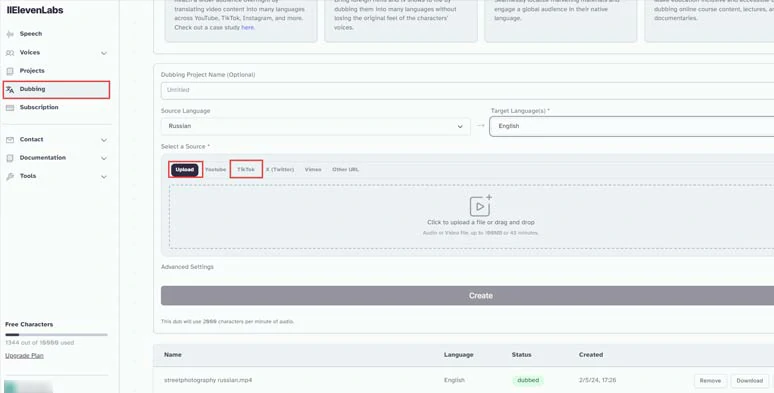
Translate TikTok videos by ElevenLabs online.
Whether you want to translate newly-created TikTok videos or posted TikTok videos, ElevenLabs can deliver a pleasing result with amazingly AI-generated voices matching the tone and pitch of your original language.
ElevenLabs supports 57 source languages to be translated into another 29 languages and can translate TikTok videos involving multiple speakers. For free users, you get 10,000 free word credits for free video translation. Brilliant.
How to translate TikTok video by ElevenLabs online.
Name your TikTok translation project > select the source language > select the target language > drag and drop to import your TikTok video from your local computer or click the TikTok tab and paste the URL of your TikTok video > you can even decide exact parts of video for AI translation > hit the Create button.
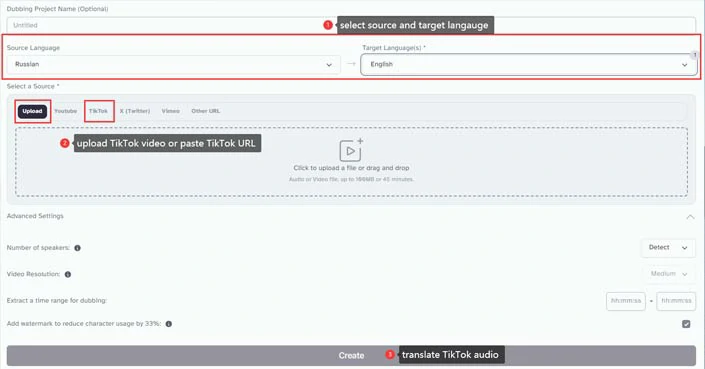
Select the source and target language and import TikTok video and translate TikTok video.
In addition, for premium subscribers, you can select video resolution and remove the watermark.
3. Translate TikTok Videos including TikTok Audio & Lip-syncing
If you want to translate TikTok videos including TikTok audio and speakers’ lips synced to the target language, another ultimate TikTok translation solution is using HeyGen, an online AI video maker whose AI video translator will blow your mind off.
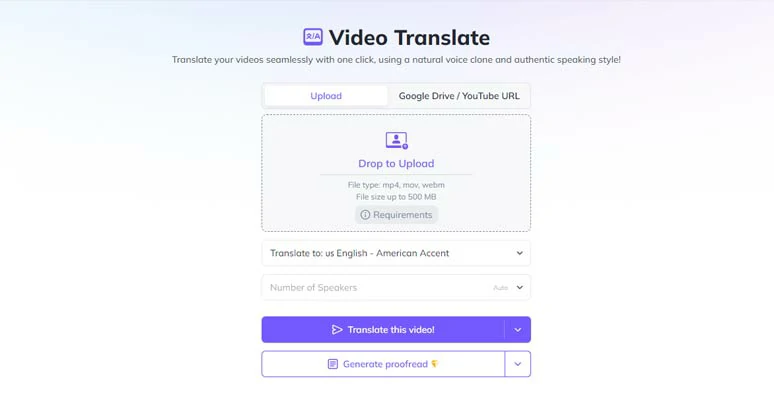
Translate TikTok video with lipsyncing by HeyGen online.
Interestingly, HeyGen’s AI video translator was powered by ElevenLab’s AI dubbing technology, mentioned above. You can upload your TikTok video and have HeyGen translate it into another 29 languages.
One thing to mention is that to achieve the best TikTok translation result, the original TikTok video better only has one speaker without background music.
How to translate TikTok video with lip-syncing by HenGen online.
Upload your TikTok video from your computer or Google Drive > select the target language and the number of speakers > hit the Translate this Video button.
4. Bonus: How to Use Auto TikTok Translation on TikTok
If you come across a TikTok video with captions and video descriptions in a foreign language, and let’s say, you want to translate this TikTok video’s subtitles and video description into English as you scroll through TikTok videos, in this case, you can turn on the auto TikTok translation feature on TikTok.
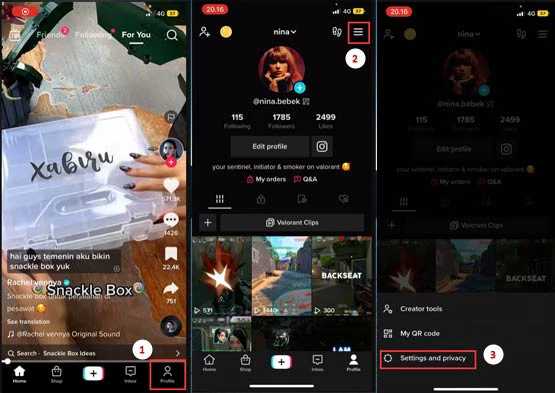
Go to the Settings and Privacy on TikTok.
Scroll down to tap Language > select the language you’d like to have videos translated into, let’s say English > turn on Always Show Translation. So, the TikTok video descriptions and captions/subtitles be auto-translated into your chosen language.
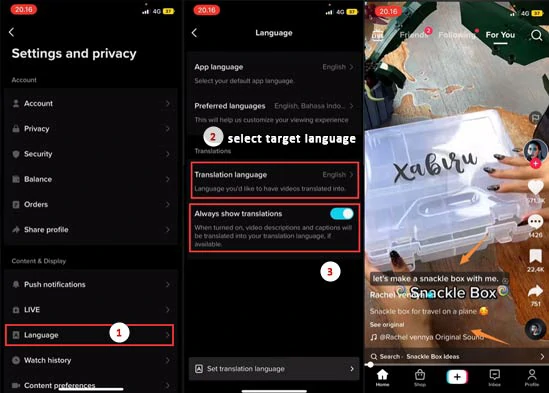
Select the target language and turn on the auto TikTok translation button.
The only downside of this method is that it only works for TikTok with subtitles and in some regions and countries, you may not have the TikTok translation button available.
Now, It's Your Move
So, that’s how you can translate TikTok videos into a different language and make your video content reach a wider audience. Please feel free to test out all these AI TikTok translators and share this post on your Facebook or X (Twitter) to let us know which one fits you best. Cheers to your TikTok video creation!




FlexClip AI Video Maker
Reach professional-quality videos faster with easy editing tools, templates, and smart AI.
Start Now for Free
Hot & Trending
-

Best Ways to Find Music in YouTube Videos
-

Instagram Story Video Quality Bad After Upload? Fix It!
-
How to Repost Video on TikTok & How to Remove TikTok Repost
-

Improve Video Quality Online: 3 AI Video Quality Enhancers You Can't Miss
-

4K Convert to HD 1080p without Watermark: Best 4k Video Converters
-

Best 8 Free Video Editors - No Download Required
-

Top 13 Birthday Video Makers with Music and Effects Free
-
How to Search Filters on TikTok & Use a Filter You See - TikTok Filter Guide